


SmartRVRoute 2 RV Navigation
3.5101.00 Reviews
App Specs
- Version
- 4.2.20260327_908
- Updated On
- License
- Free
- Downloads
- 10,000+
- Developer
- SmartRouting
- Categories
- Travel & Local
- Platform
- Android
Screenshots
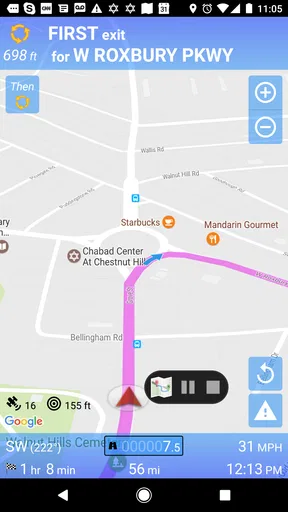
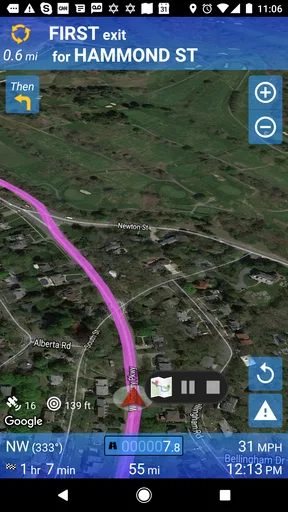
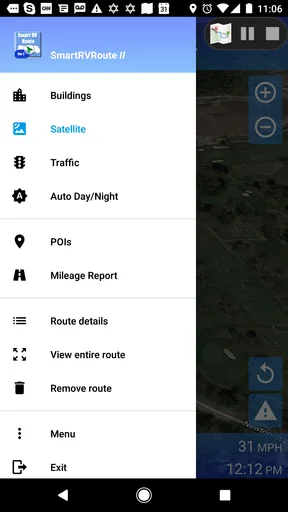
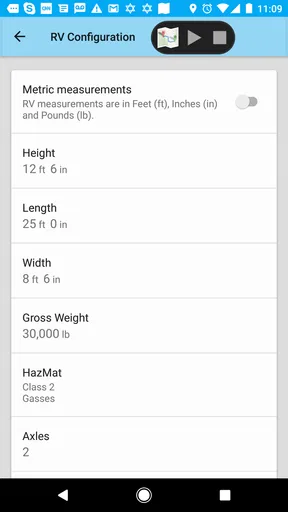
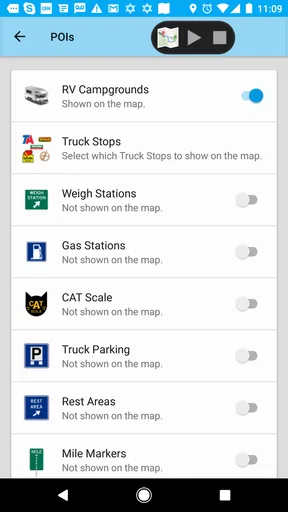
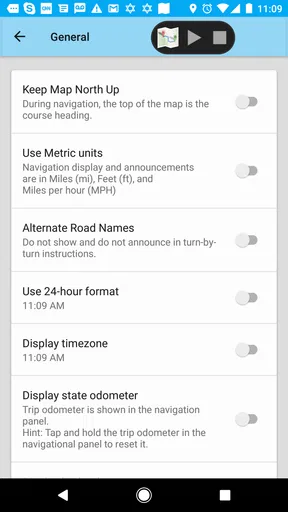
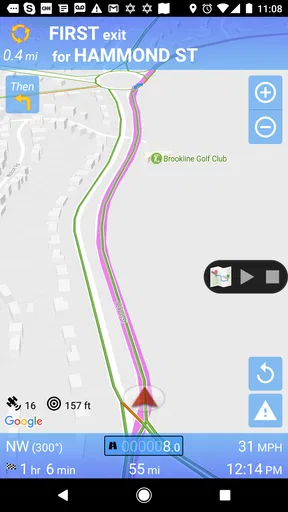
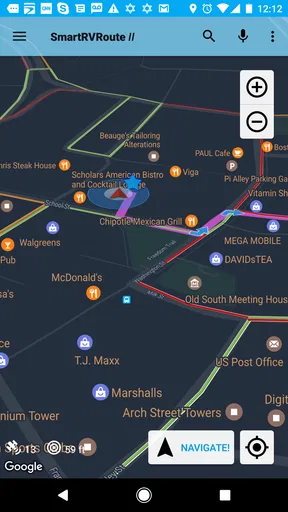
 Analysis by AppCompare
Choosing navigation for an RV is different from choosing a normal driving app. A route that works perfectly for a small car may be uncomfortable, impractical, or impossible for a larger vehicle. SmartRVRoute 2 is built around that specific travel problem, and I found its main appeal in the idea of planning a journey with an RV in mind rather than treating it like an ordinary passenger vehicle. It is a free travel and local app from SmartRouting, with a live RV GPS routing and navigation focus.
My first impression is that this is a specialist tool, not a universal replacement for every map app on a phone. It makes the most sense for people who regularly drive motorhomes, campers, or other oversized recreational vehicles and want navigation designed around that kind of trip. The experience is also tied to a paid subscription model, so the free download should be viewed as an entry point rather than proof that every navigation function is available without additional cost.
The app has an average rating of 3.5 from around 130 ratings, with just over 100 written reviews, and it has passed 10,000 installs. Those figures suggest a small but real user base rather than a mainstream navigation audience. I would approach it with realistic expectations: its value depends heavily on whether RV-specific routing solves a problem you actually face.
Where the experience can become difficult
I find that the hardest part of an RV navigation app is not always following a route; it is deciding when the screen deserves trust and when the road deserves more weight. In this section, I look at the situations where vehicle size, changing conditions, and the subscription decision can make the experience feel less straightforward, then turn to a few checks that help prevent avoidable trouble.
The first obstacle is understanding what you are paying for
The most important point to settle before relying on this app is the subscription arrangement. SmartRVRoute 2 is listed as free to install, but it uses in-app purchases ranging from about twenty-five dollars to two hundred dollars per item. That is a substantial difference from ordinary map apps that provide their core navigation at no cost, so I would not begin a long trip until I had checked which plan or purchase unlocks the functions I need.
This matters because RV navigation is usually purchased for a particular reason: avoiding unsuitable roads, making a long journey less stressful, or planning around the dimensions of a vehicle. If the app is only opened occasionally, the cost may be harder to justify. On the other hand, someone who drives a large RV often may value a focused routing service more than a free app that treats the vehicle as a standard car.
I also would not judge the app by the word “free” alone. The download price and the practical cost of using the service are separate questions. Before starting, I would review the purchase screen carefully, identify the period or access level offered, and confirm that it matches the kind of travel I plan to do. This simple check prevents the most avoidable disappointment.
Worth Reading Before You Choose

EA SPORTS FC Mobile 26 Is a Bigger Football Game, but It Takes Time

Flipboard Shows What News Apps Must Do Beyond the Feed

Switching to Android Auto Means Rethinking Your Driving Routine

Google Calendar Makes a Crowded Week Easier to Manage

Ludo King Makes the Most of the Minutes Between Plans

Baby Panda World Brings Quick Play to Modern Phones, but Its Game Library Feels Busy
Live navigation still depends on ordinary phone conditions
Because the app is intended for live GPS routing, it needs the usual basics of mobile navigation to work well: a clear view of the road, a stable device position, and enough battery for a long drive. I would mount the phone where the screen can be seen without blocking the windshield, then connect it to a reliable power source before leaving.
Large vehicles make small navigation mistakes more expensive. Missing a turn in a compact car may mean circling a block; in an RV, it can mean finding a safe place to turn around, dealing with narrow streets, or adding a noticeable amount of time to the journey. I therefore treat the spoken or displayed route as guidance, not as permission to ignore signs, road restrictions, or the physical reality ahead.
A useful habit is to inspect the opening part of the route while parked. I look for the first major turn, the likely exit from the starting area, and any section where the road appears unsuitable for a large vehicle. This does not replace navigation, but it gives me a mental fallback if the phone loses its position or the route changes unexpectedly.
Do not confuse specialist routing with perfect local knowledge
The app’s purpose is to provide RV-oriented routing, but no navigation tool removes the need for driver judgment. Temporary closures, construction, event traffic, private access roads, weather, and newly posted restrictions can all affect a journey. An RV driver should still watch road signs and be prepared to reject a direction that clearly conflicts with what is visible on the road.
This is one of the trade-offs of using a dedicated app. Its specialization can be valuable, but it may encourage users to trust the route more strongly than they would trust a general map. I think the safest approach is to use SmartRVRoute 2 for planning and live guidance while keeping basic situational awareness active throughout the trip.
Setup checks that make the first trip easier
I get more confidence from testing the whole setup than from merely confirming that the app opens. Here I focus on practical preparation: checking the phone and route while parked, making sure the purchase choice is settled before departure, and using a short familiar drive to see whether the workflow suits the vehicle and driver.
Start with the device and operating system
The current version is 4.2.20260327_908, and the app requires Android 6.0 or later. That minimum is generous for many Android phones, but an older compatible phone can still struggle with battery health, background activity, or general responsiveness. Before a trip, I would update the app, restart the phone, close unnecessary applications, and make sure the device has enough free space for normal operation.
Those steps sound basic, yet they are especially useful in an RV. A phone that behaves acceptably during a short city drive may become unreliable after hours of heat, charging, screen use, and weak signal conditions. I prefer to test the exact phone, mount, charger, and vehicle position together before depending on them during a holiday journey.
Confirm the route inputs before pressing start
RV routing is only as useful as the information supplied to it. I would enter the destination while parked and check the starting location carefully, particularly if the vehicle is leaving a campsite, service area, or large parking facility. GPS can place a phone on the wrong side of a complex entrance, and a large vehicle cannot always follow the same internal roads as a car.
I would also avoid entering a destination in a hurry while already moving. A wrong spelling or a nearby but unsuitable destination can send the route toward an entrance that is too narrow or not intended for RV access. Taking a minute to verify the destination is much easier than correcting the mistake after the route has begun.
Prepare for a subscription decision before departure
Since the app is subscription-based and includes paid items, I would complete any account or purchase step well before leaving home. This is not the moment to discover that a required option needs a connection, a confirmation screen, or a different access level. I would also keep a record of the account used for the purchase so I can restore access if the app is reinstalled or the phone is changed.
I would not make a purchase solely because I am already parked at the start of a trip. Instead, I would install the app early, explore the available screens, and decide whether the route presentation suits me. The best navigation app is the one I can read and operate calmly, especially when the vehicle is large and the road environment is unfamiliar.
Use a short local test rather than a full journey
A practical test is a short drive through familiar roads. I can see whether the position marker follows the vehicle, whether instructions arrive early enough for an RV, and whether the display remains readable in daylight. A familiar route also makes it easier to notice unusual directions without the pressure of being lost in a new area.
I would test a few different situations: leaving the driveway, joining a larger road, passing through a roundabout, and approaching a destination with more than one entrance. These moments reveal more than simply checking whether a map opens. They show whether the app fits the way I actually drive.
Recovering when the workflow breaks
When navigation misbehaves, I prefer to recover calmly rather than keep tapping or force a risky turn. This section considers how I would distinguish a location problem from a route problem, reset the workflow safely, and keep enough backup context to continue without creating competing instructions.
When the location appears wrong
If the position marker drifts, I first slow down safely and check whether the phone has a clear view of the sky. I avoid repeatedly tapping the screen while moving. If the problem continues, I stop somewhere legal, close and reopen the navigation session, and compare the displayed position with visible road signs.
Restarting the app can clear a temporary positioning problem, but it should not be treated as a cure for every issue. A weak device signal, poor phone placement, or a vehicle environment that interferes with positioning can create the same symptom. The useful distinction is whether the error follows the phone everywhere or appears only in one location.
When the route stops being useful
If I miss a turn, I let the app recalculate rather than making a sudden maneuver. With an RV, continuing safely to a suitable turning point is usually better than trying to force the original instruction. I also check the road ahead visually before accepting a recalculated route, especially if it leads into a dense town, a narrow side street, or an unfamiliar access road.
One of the most useful habits is remembering the last safe point in the route. If the app becomes confusing, I can stop and return to a known road instead of following a chain of uncertain instructions. This gives the navigation system a clean starting point and reduces the risk of compounding one wrong turn with another.
When the app appears stuck during loading
I would begin with simple checks: verify that the phone still has a connection if the workflow requires one, confirm that location services are active, and make sure the device has not entered an aggressive battery-saving state. I would then reopen the app and retry from a stationary position.
If the issue happens repeatedly, I would compare it with a short test in another location. A problem that appears only in one parking area may be caused by weak reception or difficult positioning. A problem that appears on every test suggests that the phone, installation, or account setup deserves attention before the app is trusted for a long journey.
Keep a backup without turning the dashboard into a control room
I like having a second map available for orientation, but I would not constantly switch between two navigation voices. That creates conflicting instructions and distracts from the road. Instead, I use the backup to understand the broader geography, confirm a destination, or recover if the primary route becomes unavailable.
For an RV, a paper note with the destination, the next major town, and a useful stopping point can also be more practical than another active application. The point is not to duplicate every instruction. It is to preserve enough context to continue safely if the phone needs attention.
When the app is not the cause
A confusing direction does not automatically mean the app has failed; road signs, phone conditions, and the vehicle’s actual limits can all change what is safe. I use this section to separate those causes and explain why a quick check of the surroundings and device can be more useful than immediately changing navigation apps.
Road reality can override any digital route
Some apparent navigation failures are really changes in the driving environment. A temporary sign may redirect traffic, a campsite may move its entrance, or a road may be restricted after the route was created. If the app says one thing and a clear road sign says another, I follow the sign and reassess once safely stopped.
This is particularly important for RV drivers because vehicle size changes the consequences of a bad assumption. A route can look reasonable on a screen while the approach contains a tight turn, a low clearance, or a difficult junction. I never use a navigation instruction as a substitute for checking the road itself.
Phone hardware and charging can create misleading symptoms
A hot phone, a loose charging cable, or a dim screen can make an app seem unreliable even when the underlying route is fine. I would secure the cable, keep the phone out of direct sunlight where possible, and make sure the mount does not press against buttons or cover the speaker.
Battery-saving settings can also change how a phone handles background activity. If live guidance becomes inconsistent, I would inspect the phone’s power settings and test again with the device adequately charged. I would make these changes before a trip, not while stopped on an unfamiliar roadside.
Older devices deserve extra testing
The Android requirement allows the app to run on devices using Android 6.0 or newer, but compatibility does not guarantee an equally smooth experience on every phone. Older hardware may have a smaller screen, slower response, weaker battery, or less comfortable map handling. I would judge the app on the actual device that will be used in the RV rather than assuming that the minimum operating system tells the whole story.
If the display is difficult to read or the phone becomes unstable during a local test, a newer device or a different navigation solution may be the better investment. Spending money on access while ignoring the hardware that displays it is a poor trade-off.
Who should choose something else
I would skip SmartRVRoute 2 if I mainly drive a normal car, only need occasional directions, or strongly prefer a completely free navigation experience. A standard map application may be simpler for everyday errands, business travel, public transport, walking, or quick searches for nearby places.
I would also hesitate if I need a navigation tool that is already familiar to every passenger in the vehicle. Specialist software can be worthwhile, but it introduces another interface and another subscription decision. For occasional RV rentals, a general app combined with careful route planning may be enough, provided the driver checks vehicle suitability independently.
My practical verdict after looking at the whole workflow
SmartRVRoute 2 is most convincing when the RV itself is the reason you need a dedicated navigation app. Its focus on live RV routing gives it a clearer purpose than a general map, and that focus may reduce the stress of planning trips in a large vehicle. I can see the appeal for regular RV travelers who want one tool centered on their vehicle rather than adapting a car-oriented workflow every time.
At the same time, I would not recommend installing it minutes before departure and assuming everything will work automatically. The subscription model, the need for a proper device test, and the limits of GPS and road data all deserve attention. The best results come from checking the purchase arrangement, testing a familiar route, verifying the destination, and keeping a calm recovery plan for missed turns or lost positioning.
The app is free to download, rated for Everyone, and comes from SmartRouting, but those simple facts do not answer the more important question: does its RV-specific approach justify becoming part of your travel routine? For a frequent motorhome driver, it may. For a casual driver or someone satisfied with ordinary maps, the extra cost and setup may outweigh the benefit.
My recommendation is therefore conditional but positive. Try it locally, evaluate how clearly it handles your vehicle’s journeys, and make the subscription decision only after you understand your own use pattern. If the app helps you plan and follow RV trips with less uncertainty, it has a meaningful role. If it adds friction without solving a real vehicle-size problem, a familiar general navigation app is the more sensible choice.
Pros
- RV-focused routing accounts for vehicle size and road restrictions.
- Helps locate campgrounds
- fuel stops
- and RV-friendly services along the route.
- Useful offline maps for areas with weak cellular coverage.
- Clear turn-by-turn guidance designed for larger vehicles.
- Route planning can reduce the stress of navigating unfamiliar roads.
Cons
- Some advanced navigation features may require a paid subscription.
- Map data may not always reflect recent road or campground changes.
- Large route calculations can take time on older phones.
- Battery and mobile data use may be high during long trips.
- Coverage for RV services and restrictions can vary by region.
FAQs for SmartRVRoute 2 RV Navigation
What is SmartRVRoute 2 RV Navigation, and who is it designed for?
SmartRVRoute 2 RV Navigation is a navigation app designed for RV and motorhome travelers who need routes that account for vehicle dimensions and driving preferences. Instead of treating your vehicle like a standard car, it is intended to help plan journeys around restrictions such as low bridges, narrow roads, weight limits, and unsuitable streets. It can be useful for vacationers, full-time RV owners, and drivers towing larger trailers.
Does SmartRVRoute 2 calculate routes based on my RV’s size and weight?
The main purpose of SmartRVRoute 2 is to provide RV-aware route planning, so users should enter accurate vehicle information before starting a trip. Depending on the available settings and regional map data, this may include height, width, length, weight, and other vehicle characteristics. These details help the app identify roads that may be inappropriate, but drivers should still verify signs, restrictions, and local conditions because no navigation app can guarantee that every hazard is detected.
Does SmartRVRoute 2 work without an internet connection?
Offline availability depends on the app version, downloaded map coverage, and the features supported in your region. Before traveling through rural areas or places with weak mobile service, check whether the required maps can be stored on your device and download them in advance if that option is provided. Even with offline navigation, live traffic, weather, road closures, and some search functions may require an active internet connection.
Is SmartRVRoute 2 suitable for towing a trailer or driving a large motorhome?
It may be suitable for drivers towing trailers or operating larger motorhomes, provided the vehicle profile is configured correctly. Enter the complete dimensions and weight of the combined setup rather than relying on default car settings. Pay particular attention to total length, vehicle height, axle or gross weight limits, and any restrictions affecting trailers. The app should be treated as a planning aid, not a replacement for checking official road signs or campground access information.
What should I check before relying on SmartRVRoute 2 for a long trip?
Before departure, create a detailed vehicle profile, update the application and maps, test the route, and confirm that your destination and planned stops are accessible to an RV of your size. Review the suggested route for fuel stations, rest areas, toll roads, seasonal closures, and campground entrances. Keep your phone charged and consider carrying a secondary navigation method. Always follow current road signs and official instructions, since map information can occasionally be incomplete or outdated.


